ContextSwitch with Claude Code
Manage your kanban board without leaving your AI assistant
The Problem
If you are a developer using AI assistants like Claude Code, you have probably noticed a pattern: Claude helps you find a bug, and then you open Jira to create a ticket. Claude suggests a refactor, and you switch to Linear to add it to the backlog. Claude identifies three edge cases in your test suite, and you alt-tab to your project board to log them.
Every one of those context switches costs you. Not just the seconds it takes to open another tab, but the mental overhead of translating what your AI assistant just told you into whatever format your project management tool expects. You lose the thread. The insight that was sharp and specific in conversation becomes a vague one-liner on a card because you are already thinking about something else.
The deeper problem is that your AI assistant and your task management system live in completely separate worlds. Claude cannot see what is on your board, and your board does not know what Claude just discovered. You are the middleware, manually shuttling context between two tools that should be talking to each other.
Why ContextSwitch + Claude
ContextSwitch solves this by shipping with a built-in MCP server. When you connect it to Claude Code, your AI assistant gains direct read and write access to your kanban board. No copy-pasting. No tab switching. Claude can create tasks, update their status, query what is due, and log progress notes -- all within the same conversation where the work is happening.
This is not a loose integration or a webhook that fires into the void. MCP gives Claude structured access to your task database. It can read your board state, understand your swimlanes and priorities, and create tasks with the right metadata from the start.
Key Workflows
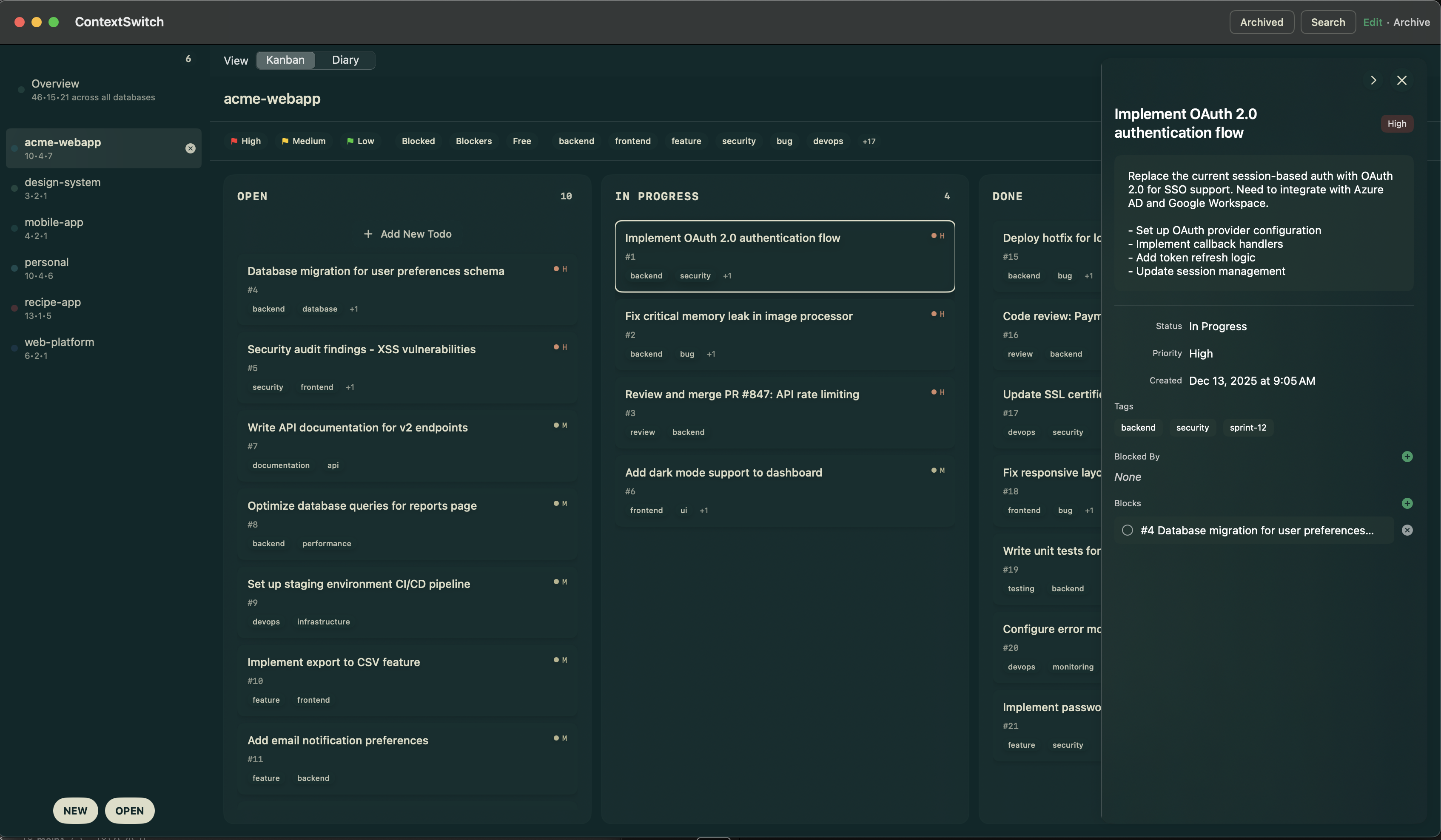
Kanban board accessible to Claude Code through MCP
When Claude discovers a bug during code review or debugging, it can create a ContextSwitch task immediately. The task includes the file, the issue description, and suggested priority -- all without you lifting a finger. The bug goes straight onto your board with full context intact.
Start your day by asking Claude "What's on my board for today?" Claude reads directly from your ContextSwitch databases and gives you a summary of tasks by priority, what is overdue, and what is coming up. No need to open the app first -- though you can always pull up the native UI when you want the full kanban view.
ContextSwitch supports multiple separate databases, so you can keep work, personal projects, and side projects isolated. Claude can search across all of them or focus on a specific database. Ask "What's the status of my side project?" and Claude queries just that database. Ask "What's due this week across everything?" and it searches all open databases.
Even with tasks spread across multiple databases, ContextSwitch provides a unified timeline view showing everything that is due in chronological order. Claude can read this timeline to give you a cross-project status update without you having to manually check each board.
ContextSwitch includes a built-in project diary for each database. Claude can log progress notes as it works -- "Refactored auth module, reduced complexity by 40%" or "Identified three API endpoints missing rate limiting." When you come back to a project after a break, the diary has a complete record of what happened.
Composing with Lexicon
The integration gets even more powerful when you combine ContextSwitch with Lexicon, the prompt library for macOS. Create a "Tech Debt Audit" prompt in Lexicon that instructs Claude to scan your codebase for issues and automatically create ContextSwitch tasks for each finding. Or a "Sprint Planning" prompt that reads your current board state and suggests task priorities for the week. The MCP protocol connects everything -- your prompts, your tasks, and your AI assistant all working together.